


mcpro24fps demo - video camera
4.211.00 Reviews
App Specs
- Version
- 043de-demo
- Updated On
- License
- Free
- Downloads
- 1,000,000+
- Developer
- Chantal Pro SIA
- Categories
- Libraries & Demo
- Platform
- Android
Screenshots
 Analysis by AppCompare
If you're like me, always on the hunt for that perfect app to enhance your videography game, then mcpro24fps demo - video camera might just be the answer to your prayers. As soon as I stumbled upon this app, I knew I had to give it a whirl. Let’s dive into what makes this app tick and whether it’s worth your time.
First Impressions and Features
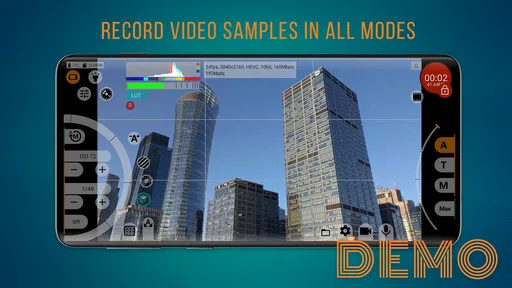
Right off the bat, mcpro24fps demo - video camera gives off a professional vibe. It's sleek and packed with features that cater to both amateur and pro videographers. The app's interface is intuitive, which is a huge plus for anyone who doesn’t want to spend hours figuring out how to shoot a simple video.
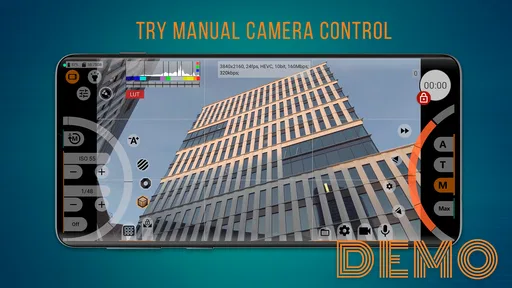
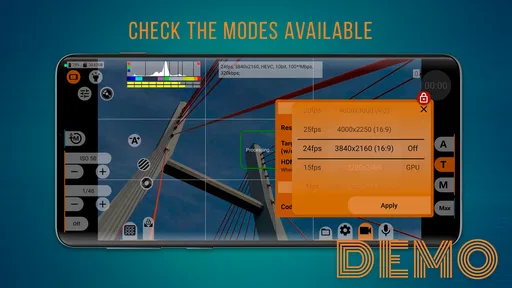
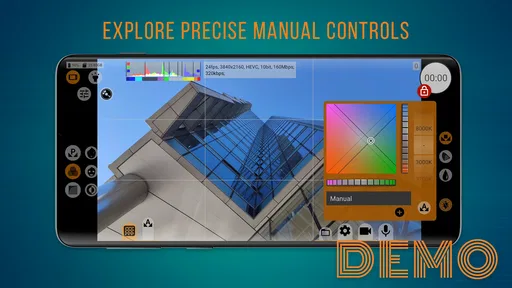
The app offers manual controls over ISO, shutter speed, focus, and white balance – basically everything you need to create cinematic videos. These features are often found in high-end cameras, so having them in an app is quite a treat. Furthermore, the app lets you shoot in various frame rates and resolutions, giving you the flexibility to match your creative vision.
Getting into the Details
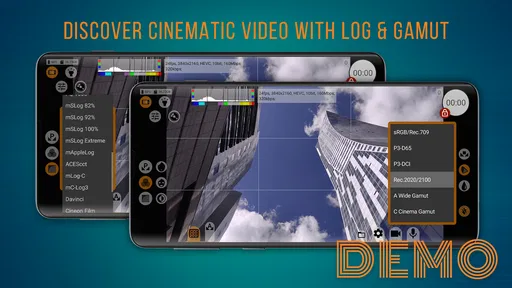
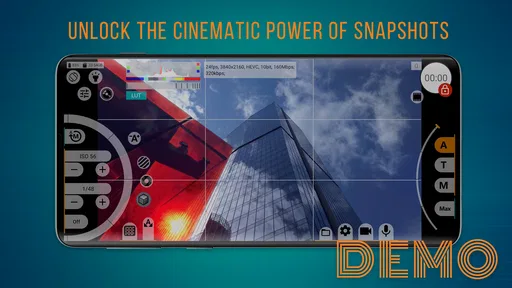
What impressed me most was the level of customization. You can tweak almost every aspect of your video. The color grading options are extensive, allowing you to adjust the tone and mood of your footage seamlessly. This is a game-changer for anyone who wants to add a personal touch to their work.
The app also supports various aspect ratios, which is crucial if you're planning to shoot for different platforms like YouTube, Instagram, or even a short film. It’s like having a mini studio right in your pocket.
Shooting Experience
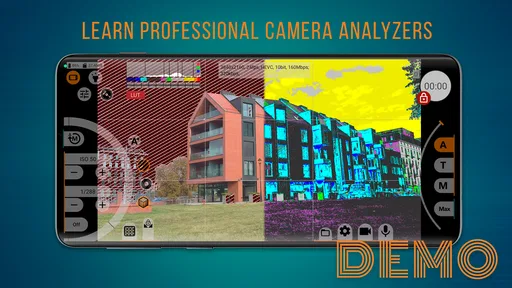
Using the app feels like wielding a powerful tool. The controls are responsive, and the preview is in real-time, so what you see is what you get. I found the focus peaking feature particularly useful; it highlights the areas that are in focus, making it easier to capture sharp, crisp images.
The app also offers a histogram and zebras, which are invaluable for ensuring proper exposure and avoiding overexposed highlights. It’s these small details that make the shooting experience not only professional but also enjoyable.
Worth Reading Before You Choose

Baby Panda World Brings Quick Play to Modern Phones, but Its Game Library Feels Busy

ESPN’s Live Game View Makes Following Close Games Easier

QuizzLand Review: A Good Fit for Short Trivia Breaks, Not Every Player

Basketball Stars: Multiplayer Is Fast, but Can It Recover When Matches Go Wrong?

WEBTOON Turns Phone Updates Into a Better Reading Routine

Link to Windows Runs on Shared Habits, Not Social Feeds
Limitations and Considerations
Now, no app is without its quirks. While mcpro24fps demo - video camera is feature-rich, it can be a bit overwhelming for beginners. The sheer number of options might require a learning curve, but once you get the hang of it, the possibilities are endless.
Another thing to note is that being a demo version, there might be some limitations compared to the full version, such as watermarks or restricted access to certain features. However, even with these restrictions, the app provides a comprehensive experience that’s worth checking out.
Final Thoughts
In a world flooded with video apps, mcpro24fps demo - video camera stands out as a robust choice for those serious about video production. It’s like having a professional camera in the form of an app. Whether you're a budding filmmaker or someone who just wants to capture high-quality footage on the go, this app is a fantastic option.
So, if you’re ready to take your videography skills to the next level, I’d recommend giving this app a try. It's a solid tool that can transform your smartphone into a filmmaking powerhouse, making it an exciting addition to any videographer's toolkit.
Pros
- User-friendly interface for quick setup.
- Supports high-quality video recording.
- Customizable frame rates and resolutions.
- Manual controls for focus and exposure.
- Compatible with various external microphones.
Cons
- Demo version has limited features.
- Occasional app crashes on older devices.
- Some features require in-app purchases.
- Limited support for certain Android models.
- High battery consumption during use.
FAQs for mcpro24fps demo - video camera
What features are available in the mcpro24fps demo version?
The mcpro24fps demo version offers a glimpse into its full capabilities, including manual control over focus, exposure, and white balance. However, some premium features like high bitrate recording and certain resolutions may be restricted. This allows users to explore the basic functionality before deciding on a purchase.
Is mcpro24fps compatible with all Android and iOS devices?
While mcpro24fps strives to support a wide range of devices, compatibility may vary depending on your device’s hardware and software. It’s recommended to check the app’s requirements on the download page to ensure it supports your device’s camera and operating system version.
Does mcpro24fps affect the quality of videos recorded on my phone?
Yes, mcpro24fps is designed to enhance video quality by providing professional-grade controls similar to those found on high-end cameras. Users can adjust settings like frame rate, resolution, and color profiles, resulting in higher quality video outputs compared to native camera apps.
Are there any in-app purchases or subscriptions required for mcpro24fps?
The demo version of mcpro24fps is free to download, allowing users to test basic features. However, unlocking the full version with enhanced functionalities typically requires a one-time purchase. There are no subscriptions, but additional in-app purchases may offer extra features or updates.
How user-friendly is mcpro24fps for beginners in video recording?
While mcpro24fps offers advanced features that may seem daunting to beginners, the app includes a comprehensive guide and tutorials to help users learn. Its intuitive interface allows users to gradually explore features, making it accessible for both amateur videographers and professionals.


